
Clementine Music Player
Discover the power of the Clementine Music Player. Read our comprehensive review of this versatile, cross-platform audio companion for Linux and beyond.
An Unmatched Audio Experience on Desktop
Finding a media player that balances a lightweight footprint with an extensive feature set can be a challenge. The Clementine Music Player succeeds by offering a fast, highly organized interface inspired by the classic Amarok 1.4 design. If you are looking for a tool that manages massive local libraries while seamlessly integrating modern cloud services, this software presents an incredibly robust solution.
Unifying Local Libraries and Cloud Storage
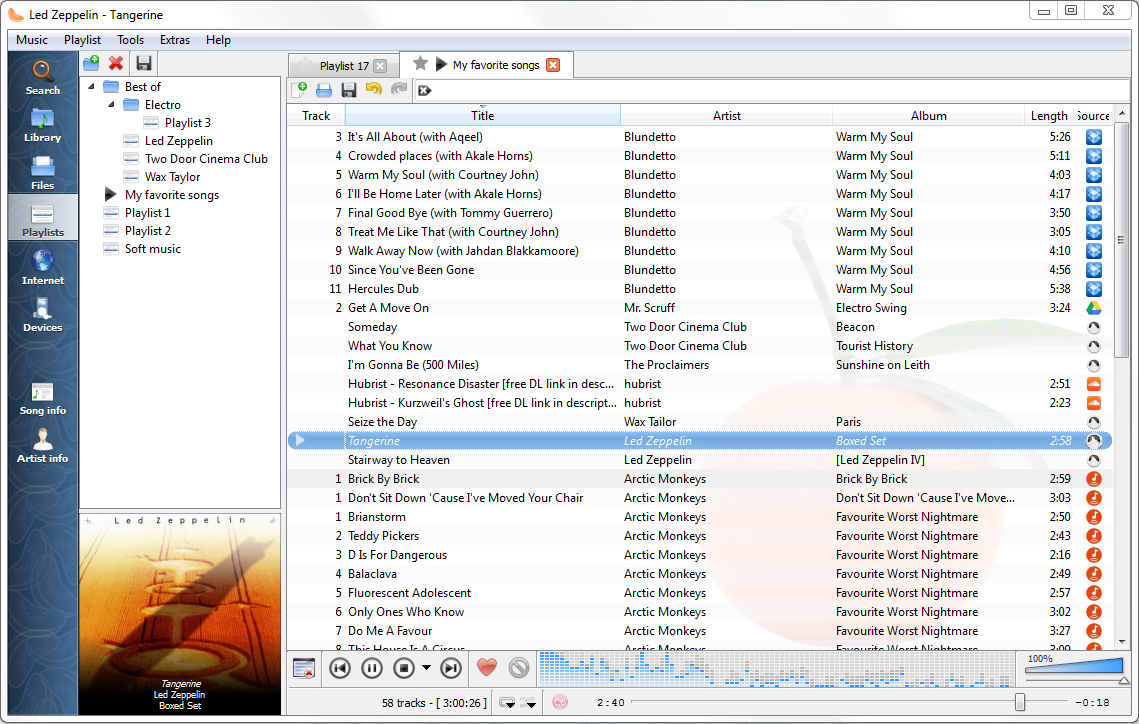
At its core, the Clementine Music Player excels at keeping your music accessible, regardless of where it is stored. Beyond simply scanning your local hard drives, the application allows you to connect directly to major cloud storage providers. You can search and stream files directly from your personal accounts on Dropbox, Google Drive, OneDrive, and Box. This hybrid approach ensures your entire collection is always at your fingertips without consuming local disk space.
Endless Streaming and Internet Radio Integration
For listeners who want to venture beyond their own files, the Clementine Music Player acts as a gateway to global music and audio programming. The player natively supports a massive array of internet radio stations and streaming services. Users can easily tune into platforms such as:
- SomaFM, Jamendo, and Magnatune
- Soundcloud and Icecast servers
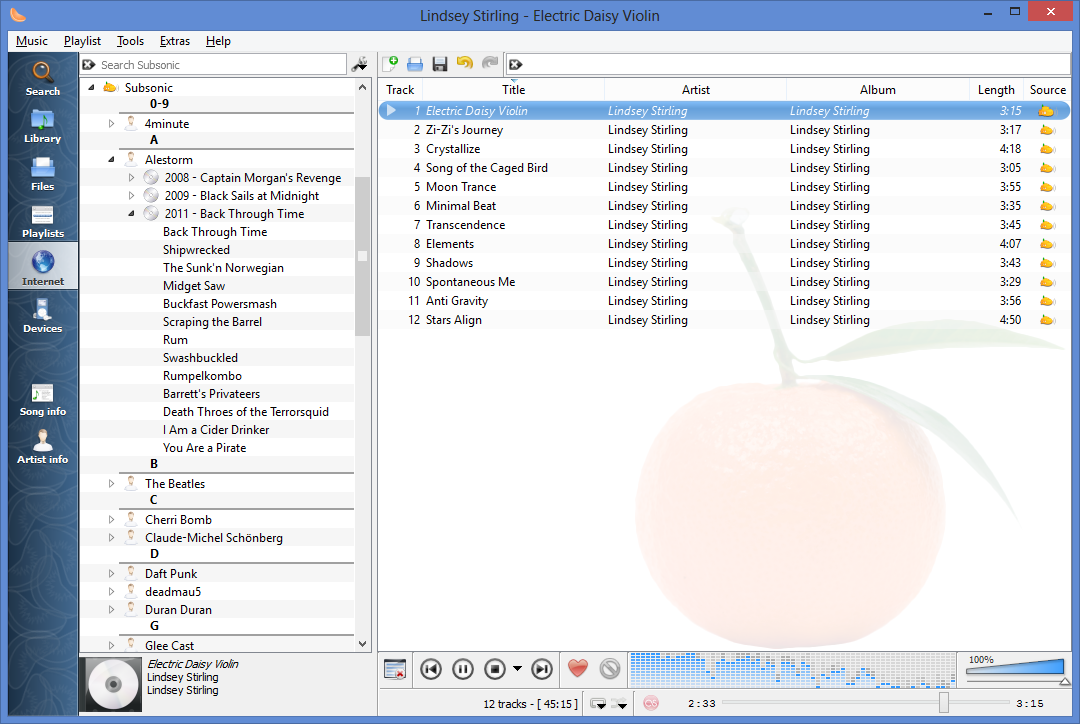
- Subsonic personal servers
- Digitally Imported, JAZZRADIO.com, and SKY.fm
- Podcast directories for subscribing and downloading new episodes
Advanced Playlist Management and Audio Tools
Power users will appreciate the deep technical capabilities engineered into the software by developers David Sansome, John Maguire, and Arnaud Bienner. The application features a tabbed playlist interface, allowing you to jump between different queues instantly. It supports CUE sheets, smart dynamic playlists, and the ability to import or export common formats like M3U, XSPF, PLS, and ASX.
Additionally, the built-in transcoding engine lets you convert audio files on the fly into MP3, Ogg Vorbis, Ogg Speex, FLAC, or AAC formats. If your metadata is messy, the application can automatically fetch missing tags from MusicBrainz and download missing album art from Last.fm and Amazon.
Device Compatibility and Remote Control
Managing your playback is highly flexible. The application supports copying music to external devices, including iPods, iPhones, and standard MTP or mass-storage USB players. Furthermore, you can control your desktop playback remotely using an Android device, a Wii Remote, or via command-line integration, making it a perfect fit for home media setups.
Is This the Right Audio Player for You?
Whether you want to visualize your music with projectM, read artist biographies and lyrics as you listen, or organize a lifetime of audio files, this utility delivers on all fronts. To experience its incredible versatility first-hand, visit the official Flathub store page to explore the software on your Linux system today.